Toggle Controllers
The Toggle Controller component allows you enable or disable different Game Objects, components, and VFX or Shader booleans at runtime using the Context tool.
Usage
Add a Toggle Controller component to the root of your prefab.
You can then add to the Toggleable Children list by selecting the toggle type, and then setting the object reference. Objects must be children of your prefab root.
Sorting Priority
In some cases, the user may want to display certain objects over each other. You can enable sorting priority for a given GameObject by adding a Sorting Group component to it.
When the Game Object is referenced by the Toggle Controller, the user can manually adjust the sorting layer while inside CollabXR.
Note
For simplicity, only three sorting layers are supported.
Example
An example use-case for Toggle Controllers is a storm visualization, where we have many overlapping layers of storm components we want to show. Showing all this data at once can be difficult to read, so we instead want to be able to toggle layers independently so we can focus on only a few layers at a time.
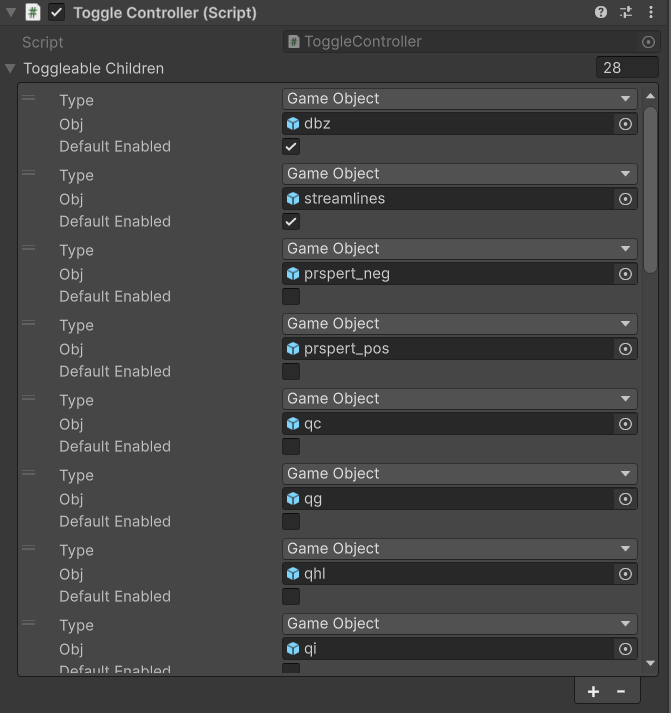
Example Toggle Controller configuration. The referenced Game Objects all have Sorting Priority components on them.
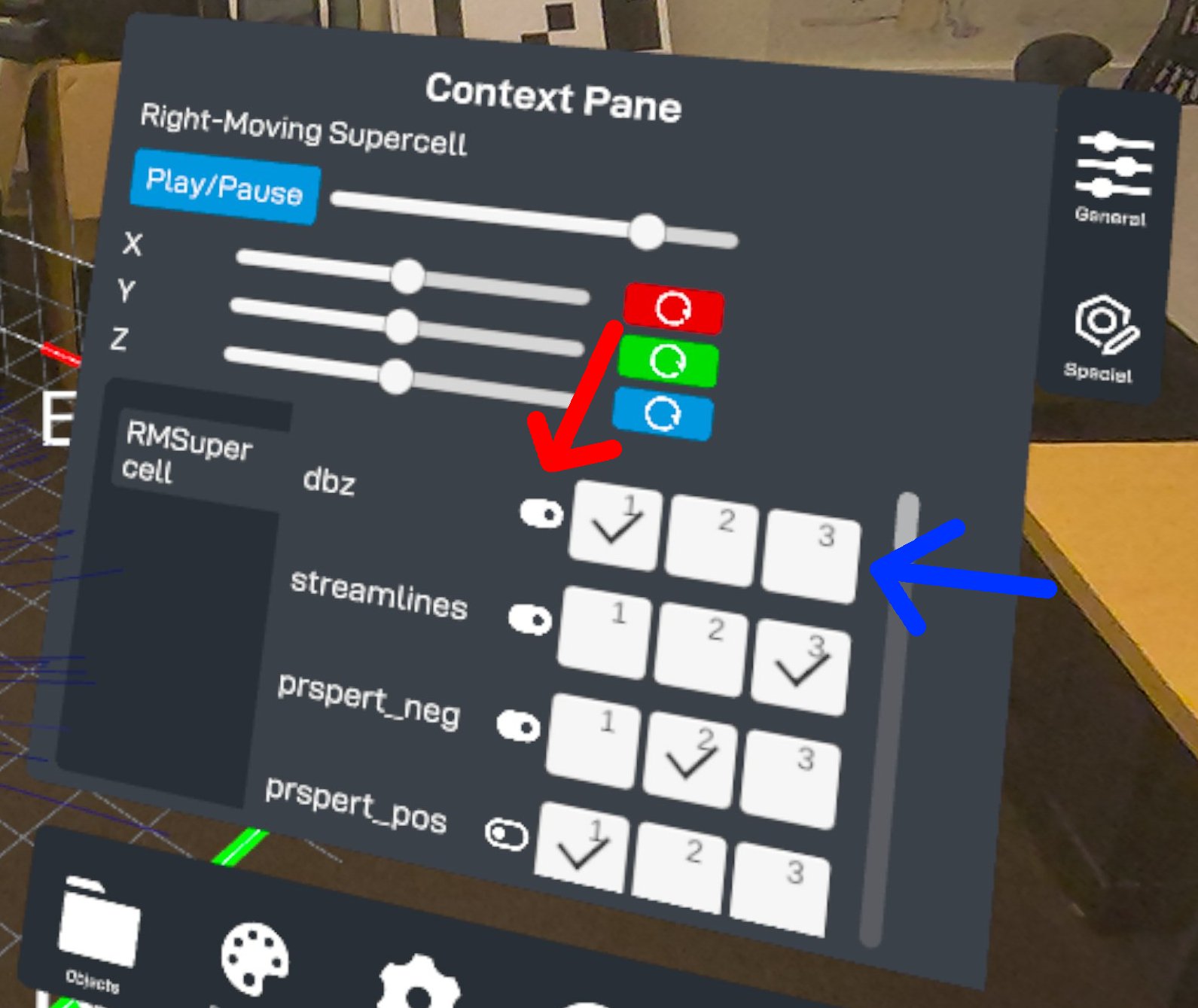
The context menu shows a scrollable list of toggleable Game Objects using their Transform names. The red arrow indicates the switch that can be used to show or hide the Game Objects. The blue arrow indicates the sorting priority layers the user can switch between.